Business continuity planning for secure remote access and recovery
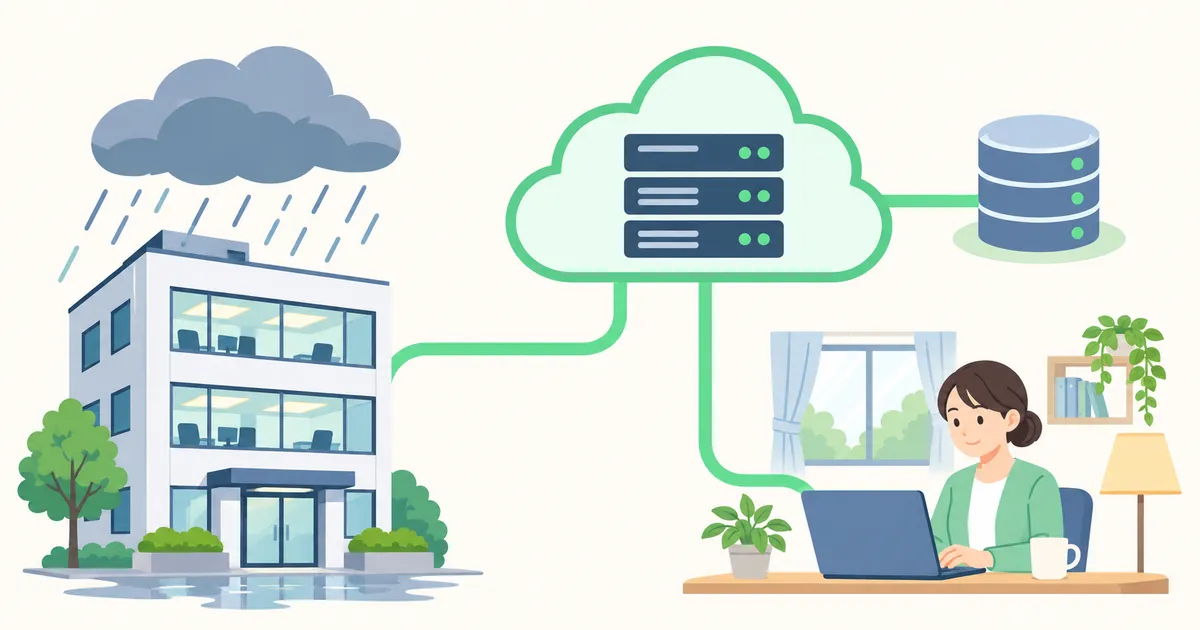
Keeping internal systems private while making secure remote access part of everyday work gives teams more ways to continue operating during a disruption. Start by identifying critical workflows, then test them off-site, prepare to rebuild and restore systems, and rehearse an independent path for emergency administration.
Remote work comes with security challenges.
Free Wi-Fi at airports, train stations, and cafés carries risks such as rogue access points and connection disruption. Exposing a VPN server or business application to the internet so employees can work off-site also requires controls against unauthorized access.
But would bringing everyone back to the office really solve the problem?
Internal systems should not be exposed to the internet unnecessarily. But that does not mean giving up remote work.
Even if working from the office meets all your needs today, you may not always be able to count on it.
What hazard maps cannot tell you about business continuity
Typhoon Faxai caused widespread power outages across Japan’s Kanto region and beyond in September 2019. Japan’s National Research Institute for Earth Science and Disaster Resilience reports that roughly 930,000 premises across nine prefectures, including Chiba, lost power. Restoration took about two weeks, with some hard-hit areas taking longer. Telecommunications and water services were also affected.
A building may escape direct damage while employees lose power at home, transport shuts down, connectivity fails, or the recovery team cannot reach the office. Use hazard maps to understand local exposure, then account for power, connectivity, transport, and the people needed to restore service.
Prepare for emergencies by making remote work part of everyday operations
A business continuity plan (BCP) prepares a team to continue or resume critical work after a disruption. Remote work gives employees a way to keep working when they cannot reach the office.
That takes advance preparation. Teams need remote connectivity, managed devices, authentication, access permissions, and a way to use business applications off-site. Putting these in place during normal operations gives responders more options to handle a disruption remotely.
Using remote access regularly also helps uncover systems that staff cannot reach and operational problems they can address before an emergency. Everyday remote work can serve as a practical continuity exercise.
Build continuity in five phases
Moving every system to the cloud or preparing several sites at once takes time and money. The five phases below build on what you already have.
| Phase | Goal |
|---|---|
| 1 | Inventory critical workflows and network dependencies |
| 2 | Set up secure outbound remote access |
| 3 | Test real work from outside the office |
| 4 | Extend network reach and prepare to rebuild and restore |
| 5 | Prepare independent emergency access and rehearse recovery |
Phase 1. Inventory critical workflows and their network dependencies
Record which systems each workflow uses, which are already reachable from outside the office, and which ports or services are exposed to the internet. Include owners, authentication and connectivity dependencies, and the data needed to restart.
Set a recovery time objective (RTO) and a recovery point objective (RPO) for each critical workflow. These identify how soon service should resume and how much recent data loss the business can tolerate. Use them to prioritize effort and spending.
Phase 2. Set up outbound remote access
A conventional office VPN can be reached through a port forward on the office router. This can work with careful operation, including patching and controlling access to the public VPN endpoint.
With an outbound design, an office gateway initiates a connection to a reachable hub, and remote clients connect to that hub as well. The office can keep its applications private without requiring an IPv4 port forward or an inbound IPv6 rule for the VPN. The hub remains a dependency for the private access path.
HomeGrid VPN uses this outbound hub-and-spoke design. Its LAN ACL controls which devices can reach each destination LAN. Continue to manage device updates, user authentication, and application permissions. A pilot with one team or critical application provides a way to validate access before retiring unnecessary public entry points.
Phase 3. Test real work from outside the office
Ask a small group to complete a representative workflow from home, a hotel, or another network. Check sign-in, file sharing, and application behavior through to task completion. Test what happens when connectivity drops or a user switches networks. Use these results to fix gaps and expand the pilot.
Phase 4. Extend network reach and prepare to restore systems
Extend private connectivity with Site Link
An application hosted at headquarters may remain unreachable during an office outage. Moving selected workloads or recovery copies to a different site or cloud network can reduce that dependency.
HomeGrid VPN Site Link can bring an office LAN or cloud VPC into the VPN through a supported Linux gateway. Verify routes and permissions from the alternate location. Plan redundancy separately, including where the application will run, how its data will be replicated or restored, and how clients will reach the recovered service.
Use infrastructure as code and protect persistent data
Infrastructure as code (IaC) lets a team recreate infrastructure from versioned definitions. Rebuilding replaceable components and backing up essential persistent data can reduce backup storage costs. Recovery still takes time, so compare a tested rebuild with snapshots or standby capacity where tight recovery objectives warrant them.
| AWS resource | Example recovery approach |
|---|---|
| EC2 | Provision with Terraform, bootstrap with cloud-init, and restore application data |
| Lambda | Recreate configuration and redeploy the versioned application |
| ECS / Fargate | Recreate the environment and deploy the preserved container image |
| DynamoDB | Restore data from backup and reapply surrounding configuration |
| RDS / Aurora | Restore the database backup and reconnect the application |
| VPC / security groups | Recreate network and security configuration with Terraform |
Protect the source, versioned artifacts, Terraform state, secrets, and encryption keys needed for recovery. Verify that the recovery team can obtain them when the original environment is unavailable.
Automate backups and consider an offline copy
Automate primary backups and test restores. S3 Object Lock and AWS Backup logically air-gapped vaults can help restrict deletion or alteration of retained data. Both remain online cloud services. Where the risk warrants it, keep an encrypted offline copy and set its refresh interval according to acceptable data loss. Treat an older offline copy as a last resort and verify that the recovery team can decrypt it.
Phase 5. Prepare independent emergency access and rehearse recovery
AWS Systems Manager (SSM) can provide an emergency management path for supported EC2 and registered hybrid nodes without opening inbound management ports. Register the nodes ahead of time and keep SSM Agent running. Confirm that the agent can reach AWS endpoints over a path independent of the normal VPN and that operators can authenticate even when that VPN or the usual identity service is unavailable. The managed node still needs power and network connectivity to AWS.
Grant only the emergency permissions the task requires
Use a break-glass role with short-lived credentials and MFA. Scope the role to the required actions and managed nodes, and require approval where appropriate. For routine recovery actions, allow only approved Run Command documents for bounded tasks such as a status check or service restart. Keep generic command documents and interactive shell permissions outside that role where those capabilities are unnecessary. After use, revoke temporary access and review the audit records.
Rehearse access and restore a workload
Simulate loss of the normal VPN and check that a named operator can carry out the intended emergency task through SSM. Restore a critical workload in an isolated recovery environment from Terraform and backups. Check that code, artifacts, keys, and credentials are available and that the application works with the restored data. Record the elapsed time and the newest usable data, then compare the results with the RTO and RPO.
Start with what you already have
Pick one critical workflow, verify that it can be completed off-site, and test how you would restore it. Advance urgent work such as data protection and emergency communications whenever needed. Keeping both office and remote options available makes it easier to decide where work can resume during a disruption.
Keep work flexible while protecting internal systems
Some tasks are best done face to face or require equipment at the office. For work that can continue off-site, keeping remote access available gives the team a way to operate during a disaster or an infrastructure outage.
Office-based work may meet all your needs today. If the office becomes unavailable, you may wish you had kept a way to work remotely.
Internal systems should not be exposed to the internet unnecessarily. But that does not mean giving up remote work.
Build up the ability to continue and restore critical work even when a site or service goes offline.