Public Wi-Fi risks explained, and how to use it more safely
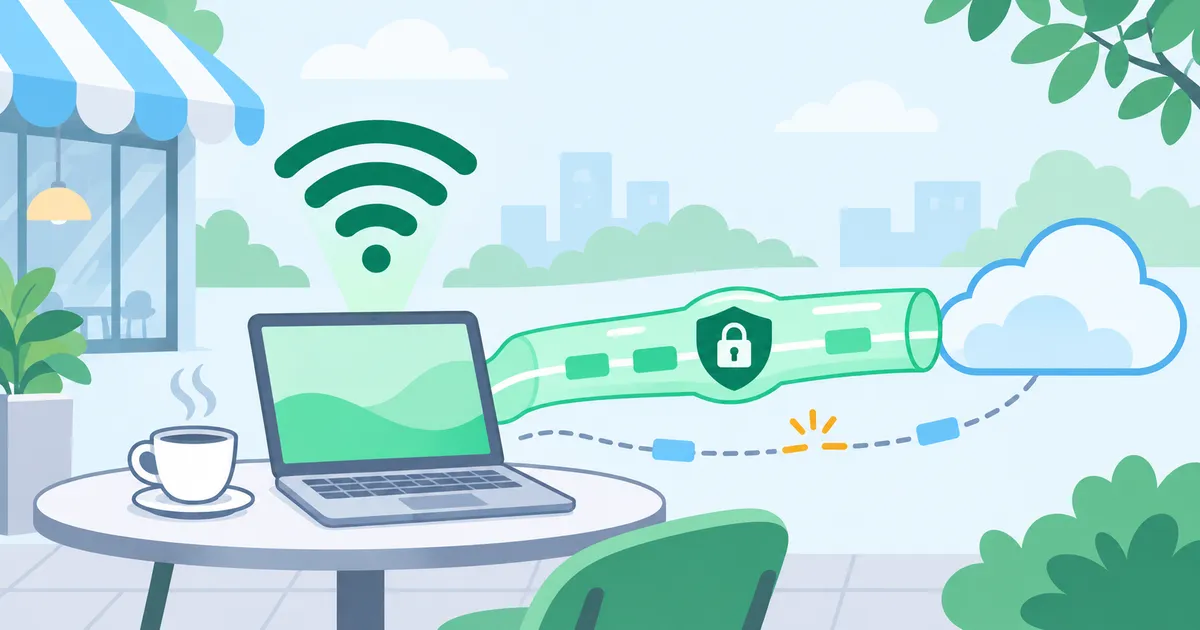
A VPN can protect the traffic path across untrusted public Wi-Fi. Check authentication before connection, the VPN’s transport, kill-switch and recovery behavior, and HTTPS to the destination. Review home Wi-Fi authentication and unnecessary business-system exposure too, choosing controls by how they work in practice.
Public Wi-Fi at hotels, cafes, and airports is convenient. It lets us watch videos, work, and access services back home while traveling without using a mobile data allowance.
You have probably also heard that public Wi-Fi is dangerous and best avoided. But HTTPS is now widespread, and Wi-Fi itself can use WPA2 or WPA3 encryption. Does that mean there is less to worry about?
While researching another technical issue, I came across a paper presented at NDSS 2025: “Off-Path TCP Hijacking in Wi-Fi Networks: A Packet-Size Side Channel Attack.”
The researchers showed that TCP connections can be attacked even on WPA2/WPA3-encrypted Wi-Fi, without decrypting the traffic. Under certain conditions, the attack can do more than terminate a connection: it can impersonate a peer and inject unauthorized data.
This does not, by itself, break HTTPS encryption. However, if an interruption exposes another vulnerability in a service, the combination could lead to information disclosure or unauthorized access.
This article uses that research as a starting point to examine the risks that remain on public Wi-Fi and practical security measures we can take ourselves. “Public Wi-Fi” here includes both unencrypted open networks and hotel or cafe networks that give many guests a shared password.
Can TCP connections still be attacked on WPA3 Wi-Fi?
On unencrypted Wi-Fi, observing traffic can sometimes reveal TCP sequence numbers and other state. Forging an acceptable TCP reset to terminate a connection has long been a known attack.
WPA2 and WPA3 encrypt wireless traffic, making it difficult for another user to read TCP headers directly. The interesting part of this research is how it works around that restriction: differences in encrypted Wi-Fi frame sizes reveal clues about TCP connection state. The attacker does not need to recover the Wi-Fi encryption key.
Under experimental conditions, the researchers reported:
- Terminating an SSH session in 19 seconds.
- Injecting unauthorized data into unencrypted HTTP traffic within 28 seconds.
- Successfully hijacking TCP connections in 75 of 80 evaluated Wi-Fi environments.
That does not mean an attack succeeds with a 93.75% probability on any arbitrary network. The attacker’s position and ability to observe and send the required packets matter.
Nor did the research defeat HTTPS encryption. TLS protects application data, but it does not encrypt the TCP headers used underneath HTTP/1.1 or HTTP/2. A connection can therefore be disrupted without its encrypted content being read.
HTTP/3 uses QUIC over UDP, so this TCP-specific attack does not apply directly. However, HTTP/1.1 and HTTP/2 remain in use, and even an HTTP/3-capable service may use TCP when the connection environment requires a fallback.
Encrypted communication and communication that cannot be disrupted are different properties.
The consequences may go beyond a dropped connection
The research demonstrated more than forced disconnection with TCP resets. Under suitable conditions, an attacker can inject data into plaintext HTTP traffic. That affects integrity, not just availability.
Another concern is whether disruption creates an opportunity to exploit a separate weakness. Suppose an application reconnects or asks the user to authenticate again after a connection is terminated. If an implementation flaw redirects that flow to an unencrypted HTTP page, an attacker may be able to modify the response or present a fake login page.
Credentials or session tokens sent over unprotected HTTP could also be captured. If an attacker obtains a valid token that can be replayed, they may impersonate the authenticated user without knowing the password.
A TCP reset alone does not hijack an HTTPS session. It also does not let an attacker inject arbitrary application data that correctly implemented TLS will accept.
The attacks directly demonstrated in the paper must be distinguished from secondary attacks that require an additional implementation flaw. Still, checking every service we use for the absence of such weaknesses is not realistic. On an untrusted network, it is useful to have protection beyond the service’s own implementation.
Unexplained disconnections I once experienced with OpenVPN
I previously used OpenVPN in TCP mode on external Wi-Fi and repeatedly experienced sudden disconnections, sometimes around login or authentication operations. At the time, I deliberately chose TCP because I associated it with greater reliability than UDP.
The particular concern was the possibility of the VPN disconnecting unnoticed and the device returning to its ordinary internet connection. I added both a kill switch to block traffic after disconnection and connection monitoring with automatic reconnection to the application I was working on.
I considered interference somewhere along the path and device-side problems, but could not establish the cause. Reading this research reminded me of that experience; it is not evidence that those earlier incidents used the same attack.
The lesson was that encryption alone is not enough to assess a VPN. If traffic returns to an unprotected connection after the VPN fails, the path has changed.
HTTPS still retains its TLS protection. However, plaintext HTTP or other traffic previously carried inside the VPN may now travel directly over untrusted Wi-Fi.
Two functions need to be considered separately:
- Kill switch: blocks unintended direct traffic when VPN protection is lost.
- Automatic reconnection: detects the interruption and restores the VPN connection.
Both matter, but they have different roles.
Availability is part of security too
Information security commonly considers three properties, known as the CIA triad:
| Property | Meaning | Example measures |
|---|---|---|
| Confidentiality | Prevent unauthorized disclosure | Encryption and access controls |
| Integrity | Prevent unauthorized modification | TLS, authentication, and tamper detection |
| Availability | Keep services usable when needed | Reconnection, redundancy, and recovery procedures |
A VPN that constantly disconnects can make work impractical even if its encryption is sound. Automatically restoring connectivity by bypassing the VPN can create a different problem.
Protecting communication and continuing to use it safely both need attention.
Security measures we can take ourselves
These risks may make public Wi-Fi sound frightening. Simply saying “do not use it” does not resolve the practical need for connectivity, though.
Users cannot change a hotel’s or cafe’s network equipment. Nor can they investigate every web service’s authentication and session-management implementation. What can we do ourselves?
One practical measure is to use a VPN. It can carry traffic from the device to the VPN exit through an encrypted tunnel, preventing a third party on the local Wi-Fi from directly inspecting the inner content and TCP headers.
When using networks you do not control, such as hotel, cafe, or airport Wi-Fi, protecting the path with a VPN is a useful baseline.
A VPN does not remove vulnerabilities in the destination service. It also does not necessarily encrypt traffic between its exit and the final destination. Application encryption such as HTTPS remains important.
There is another question to ask: which kind of VPN are you using, and can its design introduce other risks?
Not every VPN provides the same protection
A VPN’s safety is not determined by its encryption algorithm alone. Its transport, authentication before connection, disconnection behavior, and any publicly exposed home or office endpoint also matter.
Check VPNs that use an outer TCP connection
Some SSL VPNs and OpenVPN configurations use TCP outside the tunnel. Disrupting that connection may take down the whole VPN tunnel.
Some peer-to-peer VPNs fall back to a relay when a direct connection cannot be established. If the relay uses TCP/TLS, the outer transport may become TCP without the user noticing.
Not every SSL VPN or peer-to-peer VPN uses TCP. Using TCP also does not immediately compromise encryption. Nevertheless, TCP-specific attacks make it worthwhile to check which transport is actually carrying the VPN traffic.
Failure behavior is especially important. If the kill switch is ineffective and traffic falls back to the ordinary connection, unintended information exposure may become possible.
Is authentication before the VPN connection protected?
An easily overlooked part of a VPN is the user authentication required before the tunnel exists. A product may ask for a username and password, open a browser for SSO or OAuth, or obtain an authentication token before connecting.
Imagine joining hotel Wi-Fi, signing in to the VPN service, and then accessing a business system. If the web login or token retrieval happens before tunnel establishment, that authentication traffic is not yet protected by the VPN.
Correct HTTPS still prevents a nearby Wi-Fi user from simply reading the credentials. However, an authentication exchange using HTTPS over TCP can still be disrupted. Phishing and inappropriate handling of authentication tokens are separate concerns.
An implementation that falls back to unprotected HTTP after an authentication error or during recovery could expose credentials. An unavailable authentication server may also prevent starting the VPN at all.
This does not mean user-authenticated VPNs are inherently unsafe. User authentication and MFA are important defenses against unauthorized connections. The question is when authentication happens, over which path, and how it is protected.
| What to check | Why it matters |
|---|---|
| Is a web login required before connecting? | Identify authentication traffic outside the VPN |
| Does the authentication page use correctly configured HTTPS? | Protect credentials from interception and modification |
| What happens during reauthentication? | Understand behavior under interruption or interference |
| How are issued tokens managed? | Limit token disclosure and misuse |
| What happens if the VPN cannot connect? | Prevent unintended direct traffic |
Evaluate not just the encrypted tunnel, but also the authentication process needed to establish it.
Direct access to a home or office VPN has its own conditions
You can host a VPN server at home or in an office and connect to it directly. A typical direct-connect configuration requires a reachable inbound endpoint, sometimes involving IPv4 port forwarding or IPv6 inbound firewall rules.
A vulnerability in the VPN server or router may make that exposed entry point a target. Sharing the home or office public IP as an endpoint may also reveal approximate location or ISP information through GeoIP and other sources.
GeoIP does not give an exact street address. But someone with other contextual information, such as a person nearby, might use it as an additional clue. Some peer-to-peer designs also disclose public IP addresses to their direct peers.
Peer-to-peer connectivity does not always require port forwarding; NAT traversal is another approach. The broader question is whether the VPN used to protect an untrusted connection also introduces an unnecessary exposed entry point at home or at work.
HomeGrid VPN compared with TCP-based VPNs
The following table directly compares HomeGrid VPN with VPNs that use an outer TCP connection. Alongside transport and recovery behavior, it considers connection authentication and site-side exposure.
| Item | VPN using outer TCP | HomeGrid VPN |
|---|---|---|
| Outer transport | TCP | WireGuard / UDP |
| TCP reset attack | Outer TCP connection may be a target | Not directly applicable to the outer transport |
| Temporary interruption | May require a new TCP connection | No outer TCP connection to reestablish |
| Recovery | Depends on the product’s reconnection logic | Performs handshakes as needed |
| IP address changes | Product and implementation-dependent | Supports endpoint roaming |
| Kill switch | Product and setting-dependent | Client and setting-dependent |
| Authentication for routine connections | Product and implementation-dependent | Registered device’s WireGuard keys; initial registration and dashboard access use separate authentication |
| Site-side public VPN entry point | Product and architecture-dependent | Not required; the site connects outbound to the Cloud Hub |
| Disruption | Has TCP-specific attack surfaces | UDP can still be blocked or disrupted |
HomeGrid VPN carries encrypted IP packets using WireGuard over UDP. Its outer transport does not use TCP connection setup and teardown, and handshakes and key updates take place as needed.
For example, it has mechanisms to handle a smartphone changing from hotel Wi-Fi to mobile data. It cannot continue transmitting through an unavailable network, however. Long outages may still time out TCP connections inside the VPN, and a network that blocks UDP may prevent connectivity.
HomeGrid VPN does not guarantee uninterrupted communication. Its recovery mechanism differs from a VPN with an outer TCP connection.
HomeGrid VPN does not require a public VPN entry point at the site
HomeGrid VPN uses WireGuard / UDP in a hub-and-spoke topology. The Grid installed at home or in the office and the remote device each connect to a Cloud Hub.
The site initiates outbound communication to the hub, so it does not need a publicly reachable VPN listening port. Home-side IPv4 port forwarding, IPv6 inbound rules, and DDNS are not prerequisites. The remote device does not connect directly to the home’s or office’s public IP.
This changes the scope of exposed network services compared with hosting a public VPN server at the site.
No browser login for every routine VPN connection
After initial device activation, HomeGrid VPN uses the WireGuard keys managed on the device for ordinary VPN connections. Users do not need to open a browser and enter an ID and password every time they connect. Routine connection does not depend on a fresh web login or redirect through an authentication page.
This is not an absence of authentication. Initial registration and dashboard access still require authentication; registered peers are identified through WireGuard keys. A compromised device holding those keys needs separate protection and response.
The distinction is how initial authorization is established and how subsequent connections are authenticated and maintained.
The Cloud Hub and internet exit have different roles
The Cloud Hub remains a component of the VPN route, but it is not necessarily the internet exit. With a home Grid selected as the exit, traffic crosses the hub and actually leaves through the home ISP connection.
Destinations then see the home’s public IP rather than the hub’s data-center IP. Alongside this outbound-only topology, supported kill-switch functionality and LAN ACLs can help control traffic paths and access scope; the applicable client and settings matter.
The hub’s availability and operation remain part of the trust assessment. HomeGrid VPN does not prevent every attack or network failure. Assess transport, authentication before connection, failure behavior, and site-side exposure together.
Is your home Wi-Fi secure?
So far, we have considered public Wi-Fi that users cannot administer. Home Wi-Fi also deserves attention: a weak or widely shared password may let unwanted devices join. There are practical steps households can take too.
WPA2 permits offline password testing with a GPU
With suitable captured authentication material, such as a four-way handshake, an attacker can test WPA2-Personal password candidates offline. A published NVIDIA GeForce RTX 5090 Hashcat benchmark reports approximately 3.36 million candidates per second for mode 22000.
Do not judge password strength solely by the performance of a single computer an attacker owns.
Cloud GPU rental services offer high-performance GPUs by the hour. Multiple GPUs can work in parallel, and separate machines can test different candidate ranges in a distributed search. Attackers need not own all the hardware.
How much password length withstands a large computing budget?
Here we compare the aggregate processing capacity of 100 GPUs and 10,000 GPUs distributed across multiple machines.
Using the WPA2 benchmark above, the calculated time to exhaust passwords selected uniformly at random from 62 uppercase letters, lowercase letters, and digits is:
| Length | Full search: 100 GPUs | Full search: 10,000 GPUs | Practical guidance |
|---|---|---|---|
| 8 characters | 7.5 days | 1.8 hours | Avoid |
| 10 characters | 79 years | 289 days | Choose a longer password for new configurations |
| 12 characters | 300,000 years | 3,000 years | Strong against this exhaustive search; allow more margin |
| 16 characters | 4.5 trillion years | 45 billion years | A very large search space when uniformly random |
| 24 characters | 9.8 × 10²⁶ years | 9.8 × 10²⁴ years | Recommended for home Wi-Fi |
| 32 characters | 2.1 × 10⁴¹ years | 2.1 × 10³⁹ years | Recommended when manual entry is infrequent |
These estimates assume equally capable GPUs divide the candidates and performance scales linearly. They exclude startup and coordination overhead. For uniformly random passwords, expected discovery time is roughly half a full search. The figures do not establish that 10,000 GPUs can be rented simultaneously or that an attack would be economical. Extremely long durations hold today’s processing rate constant; they are not forecasts or guarantees of future security.
For eight characters, increasing capacity from 100 to 10,000 GPUs reduces the calculated full-search time from 7.5 days to 1.8 hours. Shortening elapsed time does not reduce total GPU-hours and cost by the same factor.
Sixteen uniformly random characters provide a substantial margin against this particular exhaustive search. Because Wi-Fi passwords rarely need manual entry, generate 24–32 random characters for home use.
These figures apply to WPA2, not to leaked fast hashes such as MD5 or NTLM. There is no universal cracking time for “eight characters.” Eight digits alone would take approximately 30 seconds to exhaust on one GPU at the WPA2 benchmark rate.
Is a long, human-created password enough?
Human-created passwords may not require an exhaustive search at all. Longer strings such as these can still have predictable structure:
password123456MyHomeWiFi2026!TokyoYokohama2026P@ssw0rd12345678
Attackers can prioritize dictionary words, years, and common substitutions instead of testing every possible string in order. A human-created 20-character password and a uniformly random 20-character password do not necessarily have the same strength.
What changes with WPA3?
WPA3-Personal uses SAE, which is designed to resist the ordinary offline dictionary attack against captured WPA2-PSK authentication exchanges. Recording a standard SAE exchange does not normally provide the same opportunity to test large numbers of candidates offline with a GPU.
That does not make short passwords acceptable. Disclosure, implementation flaws, and online guessing remain relevant.
Transition mode and connection-disruption lures
In WPA2/WPA3 transition mode, WPA3 connections require Protected Management Frames (PMF), but WPA2 connections may not. Clients whose connections lack PMF protection can be disconnected by forged deauthentication frames.
Attackers may exploit that disruption to encourage users to reconnect to a rogue access point, weaken security settings, or enter a password into a fake page. Depending on client support and configuration, downgrade attacks that induce WPA2 authentication may also be possible. WPA3 and Transition Disable explained
A disconnection does not itself automatically downgrade WPA3 to WPA2. Nor does copying an SSID let a rogue AP without the PSK successfully complete a saved WPA2 connection. Nevertheless, be wary of instructions to weaken protection because the connection is failing.
These lures can occur at home too if the attacker is within radio range. Do not casually enter your Wi-Fi password into an unexpected page claiming it is needed for recovery or an update. Verify through your usual management app or a known management interface. Do not disable encryption or PMF to resolve unexplained connection problems. PMF protects against forged deauthentication; it does not prevent radio interference in general.
Where the equipment supports it, consider WPA3-Personal-only mode with a sufficiently long random password.
For remote work, authenticate the network as well
For work-related Wi-Fi, password length is only one consideration. Configure devices to reject unauthorized networks rather than accept a rogue access point after being redirected to it.
Where an organization can manage the authentication infrastructure and client configuration, WPA2-Enterprise with EAP-TLS and mandatory PMF is recommended. Preconfigure the trusted certificate authorities and authentication server names, and enforce server certificate validation. Do not let users approve unknown certificates or disable validation. EAP-TLS server authentication requirements
Where that operational setup is impractical, such as at home, prefer WPA3-Personal-only mode on supported equipment. This removes WPA2 fallback and requires PMF for the connection. However, it does not distinguish a rogue AP operated by someone who knows the shared password, and is not equivalent to certificate-based EAP-TLS authentication.
EAP-TLS authenticates the authentication server; PMF does not establish the network’s identity. Combine authentication with protection of disconnect notifications, and do not weaken security to resolve connection problems. Either setup still requires updated clients and network equipment, and VPN/HTTPS protection for work traffic.
Do not automatically trust Wi-Fi, even at home
A long password does not eliminate the risk of unknowingly connecting to a rogue access point. Authentication methods, client configuration, and user actions can create opportunities for this, and attackers may use disconnections and reconnection attempts to lure users to another network.
This is not limited to hotels and cafés. Whether at home or away, account for the possibility of connecting to untrusted Wi-Fi.
Remove saved public Wi-Fi networks you no longer use, and limit automatic connections through saved profiles or OS/carrier features to those you need.
Because users cannot be certain that the underlying network is safe, protecting traffic with a VPN is one of the few security measures they can put in place themselves. Route the intended traffic through a legitimate VPN and use a Kill Switch to prevent direct traffic if the tunnel fails.
Proper HTTPS protection still applies on a rogue AP, but unprotected traffic such as HTTP can expose credentials or session information. The VPN does not protect traffic sent before it connects, or information entered directly into a phishing page. Continue using HTTPS and remain alert to unexpected authentication pages.
Generate passwords from a cryptographic random source
A Wi-Fi password rarely needs frequent manual entry. Instead of inventing a memorable pattern, use a cryptographically secure random generator. Python’s secrets module provides one:
import secrets
import string

alphabet = string.ascii_letters + string.digits

password = ''.join(
    secrets.choice(alphabet) for _ in range(32)
)

print(password)
This generates 32 characters from uppercase letters, lowercase letters, and digits. You can also remove characters that are easy to confuse when transcribing:
import secrets

alphabet = (
    "ABCDEFGHJKLMNPQRSTUVWXYZ"
    "abcdefghijkmnopqrstuvwxyz"
    "23456789"
)

password = ''.join(
    secrets.choice(alphabet) for _ in range(32)
)

print(password)
This excludes ambiguous characters such as 0 and O, or 1 and l. The smaller alphabet differs from the 62-character table above, but a 32-character string still has a large search space. For Wi-Fi, 24–32 random characters can be a useful target where supported.
Store the generated password in a protected password manager or record it accurately on paper in a secure location. Plan for recovery if the phone or other device used to retrieve it fails.
Improving home Wi-Fi can start with authentication settings and passwords, before buying expensive equipment.
Give visitors separate credentials and enable access only when needed
Sharing a Wi-Fi QR code still gives the recipient the connection credentials. The image can be forwarded and saved credentials may be shared again, so avoid giving visitors the main password used for work and household devices.
Set up a separate SSID and password for visitors, enable it only during visits, and disable it afterward. Change the visitor password if the credentials spread beyond the intended recipients.
A separate SSID does not necessarily isolate visitors from the home LAN. Where supported, use guest-network controls to block access to the home LAN and router administration interface. Check that isolation works in the device’s current router or AP mode. If isolation is unavailable, visitors can use their own mobile connection instead.
Disabling your SSID does not eliminate the risk of clients connecting to a rogue AP with the same name. Combine separate credentials, access enabled only when needed, and LAN isolation where available.
Long passwords and updates are not sufficient on their own
Statements such as “WPA2 is safe with a long password” or “known vulnerabilities such as KRACK have been patched, so there is no problem” do not provide enough information to assess the remaining risks.
A long random password primarily protects against password guessing. Firmware updates are also essential for fixing known vulnerabilities. However, running the latest firmware does not, by itself, establish that a Wi-Fi network is secure.
An update does not necessarily correct a configuration that leaves PMF unused or authentication server certificate validation inadequate. Rogue AP lures and attempts to persuade users to weaken security after a connection failure require additional precautions.
Enable automatic firmware updates or update notifications where supported, and subscribe to the manufacturer’s security advisories by email or another available channel.
If automatic updates are unavailable, schedule regular checks so you can notice and apply fixes promptly. Consider replacing devices that no longer receive security updates.
Long passwords and firmware updates are both necessary, but neither is sufficient on its own. Combine them with appropriate authentication, PMF settings, client-side certificate validation, and VPN protection of the traffic path.
What about future quantum computers?
Grover’s algorithm could accelerate exhaustive password searches on future quantum computers. This is another reason to avoid short passwords and use sufficiently long, uniformly random ones.
However, quantum attack times cannot be calculated from the GPU rates above. Quantum circuit costs and limitations on parallelization also matter. NIST’s explanation
A longer password alone does not make an entire WPA2 or WPA3 connection quantum-resistant. Encryption and key-establishment mechanisms also matter.
For home use, start with a random 24–32-character password and keep devices updated. Where long-term confidentiality is required, assess the protocol’s post-quantum support as well as password length.
Review the traffic paths to internal business systems too
The same reasoning applies to enterprise systems. Has an internal application or REST API, originally designed for LAN use, been exposed to the internet to support remote work?
You may hear that VPNs are outdated and zero trust is their replacement. But zero trust does not mean abolishing VPNs or publishing every business application on the internet. It means not granting trust solely because a connection comes from inside a network, and applying suitable authentication and authorization to users, devices, and resources.
ZTNA and SASE are options for implementing those ideas. Adopting them does not remove application vulnerabilities or incorrect access controls. Properly configured ZTNA can provide access without directly publishing the application itself.
Likewise, adding HTTPS and authentication at a reverse proxy does not automatically make a legacy application secure. First ask whether a system designed for internal use actually needs direct internet exposure.
Access existing systems remotely without publishing them
Providing access to business applications or REST APIs through HomeGrid VPN may let an organization use existing software without major application changes. The site connects outbound to the Cloud Hub, so a site-side inbound VPN port is not required.
Public reverse-proxy or API entry points created solely for remote access can be retired where no longer needed. LAN ACLs can restrict access within the VPN.
Using a VPN does not itself establish zero trust. Application authentication and authorization, device management, and least-privilege access controls remain necessary.
The decision is not “VPN or zero trust.” Reduce unnecessary exposed entry points and permit only the access that is needed.
Build a virtual server room in the cloud
Another option is to move business systems into a cloud VPC or VNet, creating a virtual server room on platforms such as AWS or Azure. Physical office servers can become unavailable because of earthquakes, flooding, fire, or power failures.
With HomeGrid VPN Site Link configured to connect the office and cloud network, business systems can be used without being directly published to the internet. Remote devices can also access them through the VPN as required.
This can reduce dependence on physical office infrastructure while retaining existing systems. Moving to the cloud does not complete a business continuity plan: backups, redundancy, and tested recovery procedures are still needed.
Before rebuilding an application, review where it runs, who needs access, and which path their traffic should take. That can be a practical security improvement in its own right.
Choose a VPN by checking how it works
Breaches and unauthorized access can affect organizations that already have security controls. A provider’s reputation, track record, or user base can inform a decision, but none establishes its technical protection on its own.
Attack techniques continue to be studied, and research can reveal risks that received less attention before. The NDSS paper is one example. Going forward, check how communication is protected, not just who provides the service.
Questions to ask include:
- Authentication before connection: Is a web login required, and how is that exchange protected?
- Transport: Does traffic use TCP or UDP, and does that change when a relay is used?
- Failure behavior: Is a kill switch available to prevent unintended direct traffic?
- Exposure: Does the home or office need a publicly reachable VPN endpoint?
- Operation and recovery: Does reconnection preserve protection, and how are vulnerabilities addressed?
Ask the provider if the information is unclear. Apply the same questions to HomeGrid VPN.
Move from “the name is familiar” to “I understand how the protection works.” That is an important part of choosing security services.
Start with the connections you use every day
The research showed that, under certain conditions, attackers can disrupt TCP on WPA2/WPA3 Wi-Fi and inject data into plaintext HTTP. If a separate weakness can be exploited along the way, further attacks may involve credentials, authenticated sessions, or unauthorized access.
A TCP interruption alone does not hijack properly protected HTTPS. However, it is not realistic for us to establish that every service we use has no vulnerabilities.
Make VPN protection a baseline when using untrusted Wi-Fi away from home or the office. Then check which design you are relying on: authentication before the tunnel exists, protection during failure, and unnecessary public entry points all matter.
At home, WPA3 and a sufficiently long random password are practical starting points. For organizations, zero trust is not the opposite of a VPN: avoid assuming that everything inside is safe, reduce unnecessary exposure, and grant only required access.
Existing applications and REST APIs may be made accessible through HomeGrid VPN without major changes, allowing unnecessary public entry points to be removed. A virtual server room connected through Site Link is another option.
Security improvements do not always need to start with a large application redevelopment. Begin by checking the Wi-Fi, VPN, and application traffic paths you already use, then improve the parts you can control.