Remote work, revisited. Rethink your work environment with a small team
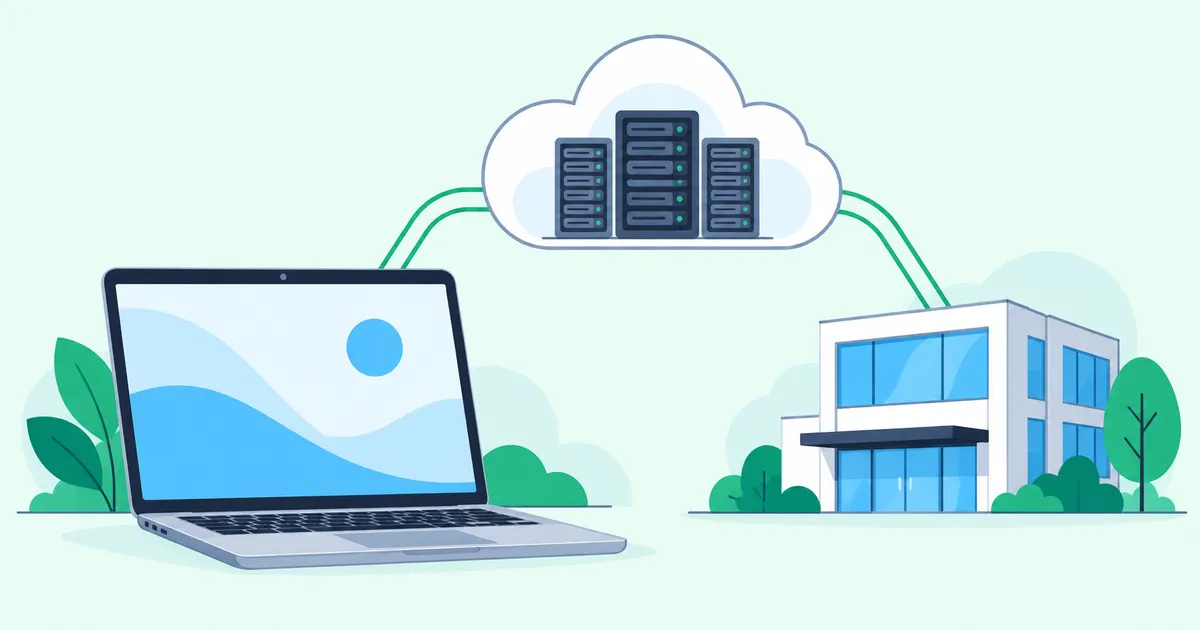
Keeping your work laptop local while separating servers and access paths from the office can make more of your work available from another location. A small team can start by identifying which services still depend on one building, power supply or Internet connection.
Remote work is familiar by now. Yet many teams still need someone to be in the office to open a file, use a business application or keep a remote desktop running. An office outage can stop people working from home, too.
The useful question is not just where people sit. It is which location their work depends on. You do not need to redesign the whole company at once. Start with a few people and separate their laptops, server workloads and connection paths.
An office VPN still depends on the office
An office VPN gives remote devices access to internal resources such as a NAS or business application. It remains a practical solution when those resources belong in the office.
If the gateway, servers, power and Internet connection are all in that building, however, losing the office can mean losing the remote work environment. Supporting remote access and continuing through an office outage are different requirements.
A directly reachable WireGuard server needs a working inbound path. With IPv4 behind a NAT router, that commonly means a reachable public address, port forwarding and firewall rules. CGNAT or an upstream router outside your control can prevent this. Direct IPv6 avoids IPv4 port forwarding but still requires inbound firewall permission and IPv6 connectivity at the remote end.
If your existing VPN works reliably, you can keep using it while mapping these dependencies. Replacing it is not automatically the first step.
RDP moves the screen; processing stays on the host
Remote Desktop Protocol (RDP) lets people use applications on office PCs or servers. Centralizing applications and data can simplify management. Protect RDP behind a VPN or an appropriately secured gateway rather than exposing it directly to the Internet.
Applications accessed through RDP normally execute on the remote host. On a shared session host, users compete for CPU, memory and storage I/O. Network latency and display-update bandwidth also affect responsiveness.
This does not mean every additional user necessarily makes RDP slow. Results depend on application behavior, concurrent activity, GPU needs and host sizing. A dedicated office PC per user has different resource-sharing constraints. Windows edition and RDS licensing requirements also need checking.
For development, design or video work that already runs well on a laptop, moving every application into a remote desktop may be unnecessary. Run the work locally and use a VPN to reach the resources it needs.
Start with the resources one team actually needs
Instead of granting everyone broad access to the office LAN, identify the services a particular team needs. A development team might need source control, test databases and development servers.
A Hub & Spoke design collects device and site connections at a central relay. It can simplify connection relationships compared with configuring a separate direct tunnel between every pair of sites. A self-managed WireGuard hub on a VPS, managed cloud VPNs and peer-to-peer VPNs are alternatives worth comparing. Peer-to-peer systems may also require a relay under some network conditions.
Outbound connectivity is still a requirement. Check that each location allows outbound UDP to the Hub and the corresponding return traffic. A hotel or corporate network may restrict UDP; test both VPN establishment and actual application traffic from the places people will use.
VPN membership must be separate from authorization to access resources. Combine destination access controls with host firewalls, application authentication, MFA and user permissions. Decide how to revoke a lost device’s access before one goes missing.
Move the server room into a cloud VPC, not the laptop
Internal web applications, databases, development servers and shared storage are candidates for moving out of the office. The laptop can stay with its user. A VPC is a logically isolated cloud network; platforms use names such as VNet for similar networking concepts.
Keep editors and productivity applications local. Reach an internal web application through the VPN. Route the necessary management traffic to the private environment. This can reduce dependence on office power and connectivity while preserving familiar tools.
Application design matters. A local application that makes many small requests to a distant database may perform poorly over a high-latency connection. Large file transfers remain dependent on bandwidth. Keeping the application close to its database and exposing a web interface or API can be a better fit.
Moving a server into a VPC does not automatically make it private. Check public IP assignments, exposure settings, security groups, routes, DNS, non-overlapping address ranges and return paths. Virtual machines also require consistent backups, appropriate licenses and tested restoration procedures.
Keep the office and VPC together during migration
Printers, laboratory equipment and large local storage may still belong in the office. There is no need to migrate everything in one project.
Move the business application first while retaining the office NAS. Review shared storage later. Keep part of the existing VPN if it still serves a purpose. A staged migration lets the team validate usability and costs before expanding the design.
Installing a VPN gateway does not necessarily allow every host behind it to communicate with every other site. Check supported traffic directions, routing and deployment-specific limitations. Network access is also no substitute for application permissions.
An office outage should not stop every workload
Imagine that the office loses power or becomes inaccessible. A portable laptop is little help if its VPN gateway and application servers are still inside the failed building.
If the application runs in a VPC and the VPN path does not traverse the office, an alternative location and Internet connection may let the team resume more work. Any remaining dependence on an office NAS, DNS service or identity server can still stop the affected workflows.
The Cloud Hub, cloud platform and identity provider can also fail. Plan backups, restoration tests and, where justified, redundancy. Set acceptable recovery times and data-loss limits rather than assuming that moving to the cloud completes the continuity plan.
Review Internet egress separately. If all Internet traffic still exits through the office, that exit remains a dependency. Depending on organizational policy and product support, options include separate paths for private and Internet traffic or a prepared alternative exit.
For services with an IP allowlist, register the backup exit IP in advance and test access with authentication and MFA. An IP allowlist is an additional layer, not authentication itself. Dynamic exit addresses also need a change-management procedure.
Where HomeGrid VPN fits
These designs do not require HomeGrid VPN. An existing VPN, a self-managed WireGuard deployment or a cloud VPN service may already meet the requirements.
HomeGrid VPN is one option for connecting devices and sites through a Cloud Hub and providing an Internet Exit. It does not virtualize servers, back up applications or perform the migration.
Devices and site gateways initiate their connections to the Cloud Hub in a Hub & Spoke design. Site-side IPv4 port forwarding, IPv6 inbound rules and DDNS are generally not prerequisites. Outbound UDP connectivity to the Hub remains necessary.
For deployments resembling Figures 3 and 5, verify the installation method inside the VPC, supported traffic directions, routes and firewalls. Deployment-specific restrictions apply: for example, a Docker Grid cannot be granted access from its downstream LAN toward the VPN. The diagrams do not promise arbitrary bidirectional site-to-site connectivity.
LAN access control (LAN ACL) selects which destination LANs a device may access. Access is denied by default: only checked devices can reach that LAN. Granting permission to a gateway covers its downstream LAN; it does not select individual hosts behind that gateway. Use separate firewall and application controls when host-level or port-level restrictions are required.
The Cloud Hub and Internet Exit have different roles
Cloud Hub ≠ Internet Exit. The Hub in these diagrams relays VPN traffic. It is not necessarily where that traffic reaches the public Internet.
For IPv4 traffic using a home Grid as its exit, the path runs from the device through the Cloud Hub and home Grid, then through the home ISP to the Internet. The destination sees the home connection’s public IP. The Cloud Hub remains part of the traffic path, trust relationship and availability dependencies.
Residential and data-center networks have different characteristics. For business use, choose an exit based on requirements such as static addressing, contractual terms, performance and availability. A residential exit is not automatically the best fit. Using a family member’s connection requires the subscriber’s consent and checking ISP contract terms.
With multiple Grids, HomeGrid VPN lets an operator change the exit manually in the dashboard. One Grid is the exit at a time, and the change affects all devices. This is not automatic failover. Plan for temporary interruption and device reconnection. If a full-tunnel exit fails, Internet access through it is also unavailable, so the operator needs another connection to reach the dashboard.
Try a day without the office
Start with a few teammates, their usual laptops and a different Internet connection. Check whether they can:
- Open the necessary files and business applications.
- Complete authentication and MFA.
- Use the planned connection method where outbound UDP is restricted.
- Work without office-hosted storage, DNS, identity services or Internet egress.
- Access allowlisted services after changing exits and follow the restoration procedure.
Where the exercise stops is where the next improvement belongs. Keep the work laptop local, separate server workloads and access paths where it helps, and expand only after the team has tested the result.
For the traffic path, read how HomeGrid VPN works. When preparing a backup exit, see switching the Internet Exit.