Keep SSH, RDP and NAS Private with WireGuard and Network Segmentation
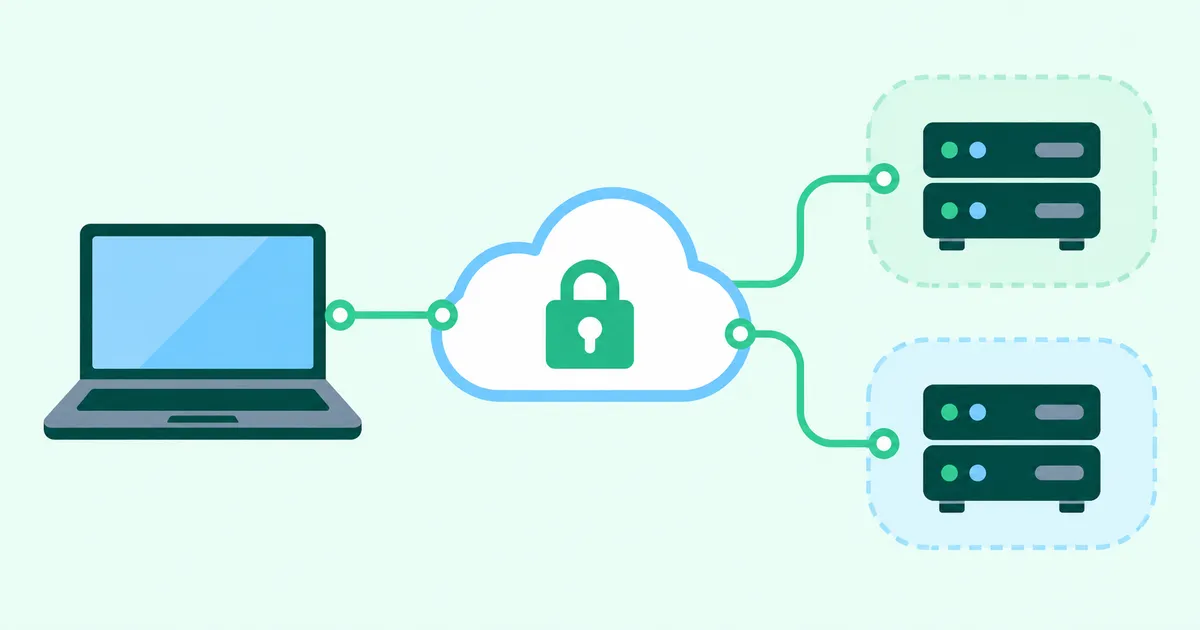
WireGuard can reduce your attack surface by providing a VPN path to SSH, RDP and NAS services while their direct internet access is closed. Separating production, development and physical server networks can also restrict lateral movement after a compromise. A VPN does not replace endpoint protection or permissions on the destination service.
Reduce the number of public management endpoints
Every exposed management service needs patching, authentication and monitoring. Encryption protects traffic, but does not prevent a vulnerable server or stolen account from being exploited.
| Service | Direct exposure | Access through a VPN |
|---|---|---|
| SSH and RDP | Connect to each public server | Connect to private management addresses |
| NAS | Expose management or file sharing | Allow approved devices through the VPN |
| Bastion | Expose an SSH entry point | Keep the bastion in a private subnet |
Keep service authentication, SSH keys, appropriate account permissions and MFA where supported. A network boundary is an additional control.
What concentrating access on WireGuard changes
A typical DIY design exposes the WireGuard gateway’s UDP endpoint and closes direct external access to the services behind it. Forwarding rules on the VPN gateway then restrict destination addresses and ports.
WireGuard authenticates peers with public keys and transports IP packets over UDP. Key distribution, user approval and application authorization require separate arrangements. Its AllowedIPs mapping between addresses and peers is not application authorization.
Reference: WireGuard conceptual overview
The WireGuard technical paper describes a Linux implementation in fewer than 4,000 lines. The often cited figure of roughly 4,000 lines concerns the early Linux implementation and illustrates the goal of keeping the design reviewable. It is not the current total across platforms, operating systems, cryptographic dependencies, dashboards and operational tooling. A small codebase does not prove the absence of vulnerabilities.
Reference: WireGuard technical paper, abstract
A direct home endpoint still needs inbound reachability
If your home is the direct WireGuard endpoint, incoming packets must reach it. IPv4 may require a public address and port forwarding. CGNAT, restricted shared IPv4 port ranges and double NAT can affect reachability. When LAN access works but remote access fails, check whether UDP packets reach the server before assuming the keys are wrong.
IPv6 can remove NAT port forwarding without removing inbound exposure. Check the global IPv6 address, router and host firewall rules, ISP reachability and IPv6 connectivity at the remote device. An IPv4-only hotel network cannot directly reach your IPv6 endpoint. Check the router’s behavior before enabling IPv6 pass-through.
Not configuring port forwarding does not mean there is no inbound exposure. For a detailed discussion, see Home VPN Not Connecting? Consider Your Home IP Before Forwarding Ports.
Outbound Hub & Spoke can keep the bastion private
An alternative is for administration devices and gateways inside each network to initiate connections to a reachable Cloud Hub. You can build this with a cloud-hosted WireGuard hub yourself, or evaluate a managed service.
With a VPN path to a private bastion, the bastion no longer needs a public IP or public SSH endpoint. The home, office and cloud management networks do not have to accept direct internet VPN connections. The public entry point remains at the hub.
Outbound Only does not mean that the tunnel cannot carry traffic into the protected network. It describes how the connection is established. UDP availability, NAT state, routes, return traffic, firewalls and monitoring still matter. Networks that restrict UDP may prevent connection. Plan for hub outages and an alternative administration path.
Separate production and development VPCs
A compromised development machine should not automatically provide access to production. Put the environments in separate VPCs and explicitly approve the required VPN paths.
| Example source | Development | Production |
|---|---|---|
| Development device | Required access | Deny by default |
| Operations device | Only when needed | Required management targets |
| Contractor device | Approved task targets | Explicitly approved task targets |
This is a design example, not a claim that every product implements every level of granularity. In a DIY system, implement forwarding controls on the hub and combine them with cloud security groups, routes and application permissions.
Separate VPCs are insufficient if peering, a transit gateway or another shared gateway provides a bypass. Review alternative paths and test access from development servers as well as user devices.
Reference: AWS VPC peering documentation
Isolate the physical server room from the office LAN
Place the server network in a separate VLAN and subnet. Deny direct office-LAN access at the firewall, then provide approved management devices with a VPN path through the hub.
Connecting a server room to the hub means an internal gateway initiates the VPN connection. It does not mean putting those servers on public IP addresses.
Check layer-2 separation, inter-VLAN routing and additional network interfaces. Inventory legitimate backup, monitoring, DNS, identity and business traffic before blocking access. A compromised administration device can still attack destinations it is allowed to reach.
HomeGrid VPN controls device-to-subnet access
HomeGrid VPN uses WireGuard with outbound Hub & Spoke connectivity. Grids or supported Linux gateways and remote devices connect to a Cloud Hub. Site-side IPv4 port forwarding, IPv6 inbound rules and DDNS are generally not prerequisites for that connection.
LAN ACL permissions apply to a registered device and a destination LAN or subnet. Access is denied by default. Separate production and development destination subnets can be granted to the devices that need them.
Do not reinterpret subnet access as per-server, per-port or per-process authorization inside that subnet. Restricting access to SSH alone or a particular NAS folder requires destination firewalls and application permissions. Same-LAN lateral movement and paths that do not traverse the hub need separate controls.
Deployment modes have direction constraints. Some modes, including Docker Grid configurations, cannot permit initiation from the downstream LAN toward the VPN. Arbitrary bidirectional site connectivity is not guaranteed. Verify supported deployment modes, overlapping CIDRs, forwarding and return routes for your VPC or physical LAN.
ACL changes can take up to five minutes to apply. Test both allowed and denied paths after application. See the LAN ACL guide for current behavior and the LAN and VPC connection article for deployment examples.
Registering a Linux gateway with the one-line command from the dashboard to connect a VPC or an on-premises LAN is a Platinum plan feature. Connecting a LAN where a Grid is installed is available on other plans as well. Check the pricing page for current terms before deployment.
Cloud Hub is not necessarily the internet exit
Cloud Hub ≠ Internet Exit. Concentrating management access at a hub does not require sending general internet traffic out through that hub.
When Home is selected as the exit, the path is Remote → Cloud Hub → Home → Residential ISP → Internet. The destination sees the home’s public IP. Private management access does not require routing all internet traffic through Home.
The hub is part of the path, so include it in your operations and availability planning. A VPN does not replace application-layer encryption; keep SSH, HTTPS and other required encryption.
Verify the remaining risks and close the old entry points
Concentrating access and separating networks are additional controls. The following protections remain necessary:
- Patch and monitor devices, gateways, the hub, operating systems and applications.
- Protect VPN keys and administration accounts, and revoke unused devices and permissions.
- Retain destination authentication, MFA, least privilege and operation logs.
- Address lateral movement within each subnet and protect other entry points, including public web applications.
- Maintain isolated backups, test restoration and plan for business continuity during hub outages.
Migrate one management connection first. After verifying the VPN path, remove unnecessary public SSH, RDP and NAS rules, port forwarding and public IPv6 permissions. Check both IP versions for remaining direct exposure. Confirm that unapproved devices, development servers and the office LAN cannot reach production through an alternative path.
Record which device can access which network through which route. Combine fewer public entry points with a smaller reachable area after compromise.
For contractor access and practical permission reviews, see reducing public entry points for small businesses.