What Is HomeGrid VPN? Use Your Home Connection as a VPN Exit
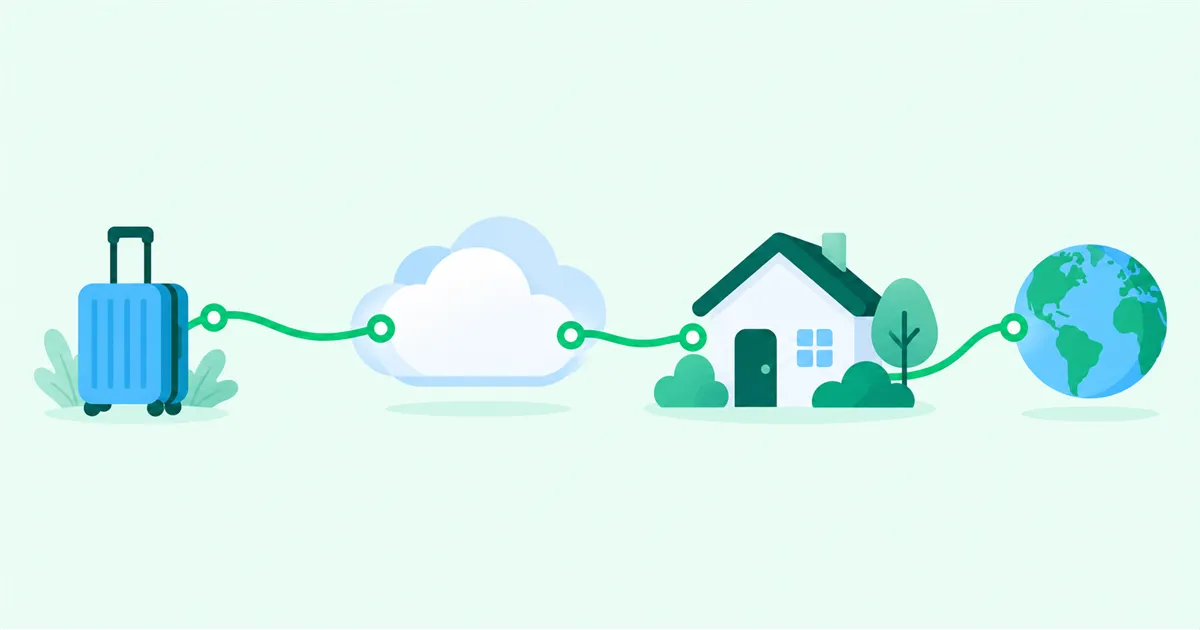
HomeGrid VPN carries IPv4 traffic from your phone or computer through a Cloud Hub to a Grid at home, then sends that traffic to the internet through your home ISP connection. Internet services see the public IPv4 address used by the ISP connection where the selected Grid is installed. Because the Grid connects out to the Cloud Hub, this design does not normally require inbound port forwarding or a static IP address at home.
What a VPN exit changes
A VPN exit, also called an Internet Exit, is the point where traffic leaves the VPN path and enters the public internet. Websites and other internet services normally see the public IP address used by the connection at that exit.
When a VPN server or VPS in a data center is the exit, traffic reaches the internet from the data center network. When a device at home is the exit, traffic reaches the internet through the residential ISP connection at that location.
With HomeGrid VPN, the traffic itself travels through the VPN to your home and leaves through the home connection. This changes the network path and exit IP. Device-side signals such as GPS data, cookies, and browser information stay as they are on your device.
How HomeGrid VPN routes traffic
HomeGrid VPN uses a hub-and-spoke design. Remote devices and Grids at different locations connect to a Cloud Hub. One Grid serves as the Internet Exit. A Grid can be installed at your home, a family member’s home with their permission, or another location you control.
The diagram below shows IPv4 traffic when a Grid at home is the selected exit.
| Component | Role in the path |
|---|---|
| Cloud Hub | Connects the VPN paths from remote devices and Grids |
| Selected Grid | Sends traffic received through the VPN to the internet through its local connection |
| Home ISP | Connects the location where the Grid is installed to the internet |
The Cloud Hub and the Internet Exit have different roles. When a Grid at home is the exit, internet services see the IP used by the home ISP connection, not the data center IP of the Cloud Hub. The Cloud Hub remains part of the communication path, so its operation and availability are part of the service you rely on.
Outbound connections avoid inbound setup at home
A traditional direct-access setup places a WireGuard server behind the home router and makes it reachable from the internet. A common IPv4 path looks like this:
Remote Device
  ↓
Public IPv4 Address at Home
  ↓
Router Port Forwarding
  ↓
WireGuard Server at Home
This setup requires a reachable address and port, port forwarding on the router, and inbound firewall rules on the router and server. CGNAT, double NAT, or an upstream router managed by a building or ISP can prevent inbound traffic from reaching the server.
With HomeGrid VPN, the Grid at home and the remote device each initiate an outbound connection to the Cloud Hub. This Outbound Only design does not normally require:
- IPv4 port forwarding on the home router
- An inbound IPv6 firewall rule at home
- A static IP address for the home connection
- Dynamic DNS
Because the Grid connects to the Cloud Hub, you do not need to purchase a static IP option solely to make the VPN reachable from outside. If the ISP changes the address, the Grid can establish its outbound connection again. The exit IP can still change when the ISP assigns a new address.
After the VPN path is established, traffic can flow in both directions through that path. Outbound Only describes which side initiates the connection. The local network must allow the Grid and remote device to connect out to the Cloud Hub using UDP, the transport used by WireGuard.
Residential IP and data center IP are different
Two IP addresses in the same country can belong to different types of networks.
| Comparison | Data center exit | Home exit |
|---|---|---|
| Connection used to reach the internet | Data center network | Residential ISP connection |
| IP visible to internet services | VPN provider or VPS IP | IP used by the home ISP connection |
| Possible network classification | Hosting or data center | Residential |
| Operational dependency | Provider infrastructure | Home connection quality and Grid availability |
On a CGNAT connection, the public IPv4 address can be shared with other subscribers. A residential exit and a dedicated public IPv4 address are separate things.
Internet services may consider the country, network operator and ASN, hosting classification, known VPN or proxy data, and access patterns. As a result, two IP addresses in the same country can look different to a service depending on the network they come from.
Whether a service accepts a connection is up to that service. Each service applies its own terms, regional restrictions, and VPN policies.
What the home location needs
Before using a home connection as the exit, check the environment where the Grid will run:
- The Grid and internet connection must remain available while you use the exit.
- The connection speed should be suitable for your intended use.
- The added path through the Cloud Hub and home connection should provide acceptable latency.
- You must have permission to use the connection.
If the Grid uses a connection contracted by a family member or someone else, obtain the subscriber’s permission and check the ISP’s terms.
Use your home connection while away
HomeGrid VPN is designed for people who want to send IPv4 traffic from a remote device through their home connection or a family member’s home connection without opening an inbound port or purchasing a static IP address for VPN access. Once the Grid location and connection are ready, you can set up HomeGrid VPN from the dashboard.