Japan weighs cyber duties. Why small companies should pay attention
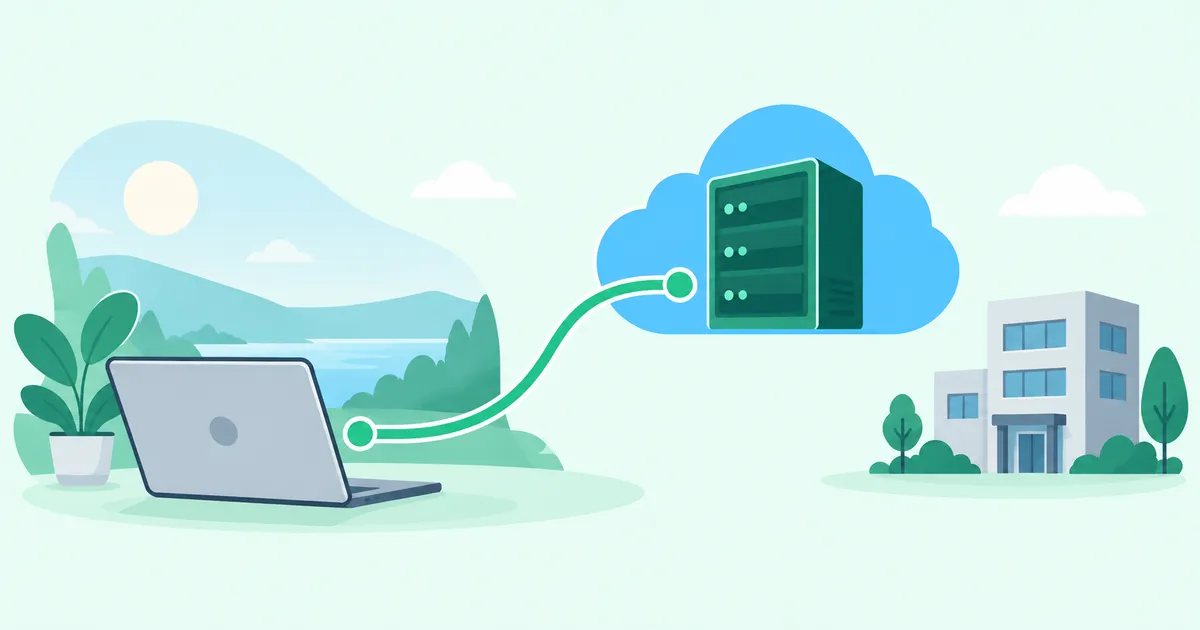
Small companies can keep their management VMs while reducing public RDP exposure, defining workstation access, and assigning responsibility for updates. Removing dependence on an office’s power, internet connection, and static IP also helps sustain cloud operations when that office is unavailable.
The proposed duties are still under discussion
On October 16, 2026, Japanese news organizations reported that the Ministry of Internal Affairs and Communications had announced an expert panel to consider stronger cybersecurity measures for telecommunications operators. The discussion is expected to cover vulnerability response and oversight of external suppliers. According to the reports, the first meeting is scheduled for October 22, with a final report targeted for summer 2027. Legislative changes and mandatory measures are among the options being considered.
As of October 17, 2026, these proposed new obligations have not been finalized or brought into force. Nor does the discussion mean that the same new duties have been imposed on every small business.
Source: Yomiuri Shimbun’s October 16 report, republished by Livedoor News.
Does that make the news irrelevant to everyone else? Consider a three-person company building and operating web systems on AWS or Azure. It holds customer information, manages source code, and provides services over the internet. Unauthorized access, data loss, and service outages are already business concerns, regardless of the eventual scope of the proposal.
Not being a confirmed target of a proposed obligation does not remove the need for security. This is a useful moment to review both access controls and the ability to keep operating.
Security costs more than the compensation after an incident
Security spending can be difficult to justify when nothing visibly goes wrong. A small company may ask how likely an incident is, how much each leaked record would cost, or whether paying compensation afterward would be cheaper than prevention.
Assessing probability and impact remains a reasonable way to allocate a limited budget. The problem is an incomplete account of the consequences.
In a past Japanese data breach, customers were offered a token of apology worth JPY 500. That amount was not a universal legal damages tariff or a valuation of a personal record. Investigation, restoration, customer support, legal responsibilities, and corrective work create additional costs.
Source: Benesse’s account of the incident.
More fundamentally, being able to pay compensation does not mean the business can resume. If all three employees are occupied with the incident, development and customer support may stop alongside the affected service. Security spending also protects the company’s ability to work.
A three-person company still has systems to protect
A small cloud service business may operate a customer-facing application, a database, administration APIs, development servers, source repositories, and CI/CD pipelines. Staff may work from the office, home, or a customer’s site.
The public website needs to be reachable by customers. SSH, RDP, administrative APIs, and test servers have a different audience. Identify which services actually need internet exposure.
Development is not automatically low risk. Its systems may hold API keys, cloud credentials, source code, and deployment privileges. If those credentials also grant production access, a compromise can spread beyond the development environment.
Separate development and production networks—for example, distinct AWS VPCs or Azure VNets—and separate their credentials and permissions too. Network separation alone cannot compensate for a shared administrator credential or an unnecessarily powerful production role held by development tooling. Combine it with least privilege, credential management, and MFA where supported.
Static IP allowlists and shared RDP bastions
One common administration pattern restricts access to the office’s static public IP and places a Windows bastion VM at the network boundary. Operators connect over RDP, then use its tools to manage servers and databases. Development and production may each have a separate bastion.
This has a purpose: it limits connection sources and keeps backend systems from being directly exposed. But it does not complete the security design.
An IP allowlist is an additional restriction, not user authentication. A compromised device on the permitted office network may be able to attempt connections through that allowed route. Each externally reachable bastion also needs ongoing maintenance of its OS, RDP service, browsers, SSH clients, and database tools.
Separate development and production bastions still require separate attention. Who keeps each one current?
A security bastion that nobody dares to patch
A VM can start with a current OS and careful access rules, then fall behind months later. Sometimes this is neglect. Sometimes an operator has a concrete compatibility concern.
The VM may host a database client, a development tool, or specialized software for an older business system. An OS update could prevent a tool from starting or connecting. That same tool may be essential during a production outage.
“What if the security update breaks our recovery tools?” is an understandable question. Leaving the VM untouched, however, can leave known vulnerabilities in place.
This is where security maintenance and continuity can collide. Splitting production and development bastions does not remove the conflict: both VMs need compatibility testing and a plan for updates.
Who owns the decision?
Infrastructure staff may manage the VM and OS, developers may install the tools, and operations staff may depend on them for production maintenance. All three roles can exist without anyone owning the whole environment.
Who approves a patch? Who restores service if it breaks a tool? If the team delays an update, who evaluates the risk, and when does that exception expire?
Without an owner, “it works, so leave it alone” can quietly become policy. More bastions can also mean more ambiguous responsibilities.
A cloud VM does not make these duties disappear. Amazon EC2’s responsibility model, for example, assigns guest OS and installed software updates to the customer. If a supplier performs that work, confirm the contractual scope.
Security equipment needs a sustainable operating model as well as an installation plan.
Keep the management VM and change its access path
Replacing every shared tool with a local installation tomorrow may be unrealistic. Some software depends on a particular OS, and changing established procedures requires testing, documentation, and training.
Instead, keep the management VM and place it inside a private VPC network. Here, “management console” means your VM running administration tools, rather than the cloud provider’s web console.
Operators connect to its private IP over a VPN, then use the same tools. Preserve separate production and development management VMs where that separation already exists. The main change is the route to the console, rather than an immediate replacement of the working environment.
Validate the new VPN path before closing the old RDP path. Check each authorized environment, the console login, and the tools needed for real work. Then remove direct public RDP. If the old path remains temporarily, minimize that period and retain source restrictions and authentication.
Reducing public exposure can be an initial step while the team develops patching, compatibility testing, and ownership procedures.
Use HomeGrid VPN to organize development and production access
Self-managed WireGuard, managed cloud VPNs, and supported managed access services are also options. Compare their key management, routing, operating effort, and requirements. The general network design is covered in reducing public SSH, RDP, and NAS exposure.
HomeGrid VPN is one way to implement this arrangement. It uses a Hub & Spoke topology: workstations and site-side devices connect to a Cloud Hub. For a VPC connection, a connection node inside the VPC initiates an outbound connection to the hub.
The management VM therefore need not have a public IP or accept RDP directly from the internet. The Cloud Hub remains a relay on the VPN path; it is not an internet exit for this management connection.
Keep development and production separate
In this example, the production VPC hosts the customer application. Public HTTPS remains available to customers, while the database, administrative APIs, and management VM stay on private networks.
A separate development VPC hosts development and test servers and its own management VM. Each server and console has a private IP. Credentials and network permissions are separated between the environments.
Connect from the workstation to a private IP
The developer connects a Windows or Mac workstation to HomeGrid VPN. After connection, the developer uses the private address of an authorized development server for SSH, or the development management VM’s private address for RDP.
The existing database tools and specialized software can remain on the management VM. After logging in, staff can continue using those tools without reaching a public RDP endpoint.
LAN ACL defines which destination LAN the workstation can reach
HomeGrid VPN LAN ACL controls access from an enrolled device to destination LANs behind Grids. In this example, each VPC has a connection node acting as a Grid, and development and production subnets are registered as distinct destination LANs.
For the developer’s workstation:
- Allow the development VPC subnet.
- Leave the production VPC subnet unapproved.
LAN ACL uses default deny. Registering a workstation does not automatically permit access to destination LANs. With this configuration, the developer can reach development systems over the VPN but cannot use that VPN path to reach the production management VM.
A different workstation assigned to production operations can be given its required production destination. VPN connectivity and permission to reach every VPC are separate decisions.
LAN ACL changes can take up to five minutes to apply. After propagation, verify both the allowed development connection and the denied production connection. See the LAN ACL configuration guide for the device-to-LAN settings.
Apply cloud controls next
After limiting destination LAN access, apply cloud-side rules. A development Linux server should accept SSH only from the intended administration path. The management VM should accept RDP only from that path. The database should accept only the necessary application and management traffic.
Use AWS Security Groups, Azure Network Security Groups, and OS firewalls as appropriate.
The layers have different responsibilities:
- HomeGrid VPN LAN ACL: which destination LAN this workstation may reach.
- Cloud Security Group / Firewall: which server services and ports accept the permitted traffic.
- Authentication and authorization: who can log in and what they may do.
LAN ACL is not a per-port or application permission system. Use OS authentication, supported MFA mechanisms, and IAM for their respective responsibilities. Enabling MFA on a cloud management account does not automatically enable MFA for Windows RDP login.
Routing and return paths must also work. The source visible to a destination depends on routing and address translation; configure source rules accordingly. Keep the outbound connectivity needed for updates.
Blocking production through LAN ACL does not automatically revoke cloud console privileges, CI/CD credentials, or alternate network routes. Manage those separately.
Private placement does not remove maintenance
The existing console and tools remain useful, but moving them inside the VPC does not patch their vulnerabilities. Updates, authentication, monitoring, and clear operational ownership remain necessary. Confirm HomeGrid VPN plan eligibility and VPC networking requirements for the intended deployment.
Continuity includes an office that nobody can use
Security also needs recovery planning. For a small cloud business, a central question is whether operations can continue when the normal office is unavailable.
Imagine an earthquake or flood prevents staff from entering the office. The AWS or Azure application is healthy. But if the management console accepts only the office’s static public IP, employees working from home or another safe location cannot enter through that rule.
An office power failure, ISP outage, or failure of the static-IP connection can have the same effect. The cloud system is running, but its operators cannot manage it.
A private VPC management VM reached from an authorized workstation over a VPN can reduce that dependency. Staff connect from home or an alternate site; LAN ACL still restricts each workstation to the approved development or production subnet.
This requires power, connectivity, and suitable devices at the alternate location. It also requires a working cloud VM and connection node, and a route that does not traverse office equipment.
Test from outside the office before an incident. Check that MFA devices and recovery procedures are accessible too. A broader review is covered in remote work and continuity for small teams.
Contain a compromised development workstation
Natural disasters are not the only continuity concern. If a developer’s workstation is infected and can freely reach production, the attacker gains more possible paths.
Allowing only the development destination LAN limits production access through that VPN route. Cloud permissions, deployment credentials, and other routes still need separate controls. Separate networks and identities help reduce how far an incident spreads.
A backup is not a completed recovery
After a production compromise or data destruction, recovery may require a clean environment, new credentials, integrity checks, and access to the recovery destination. Protect backups against deletion or alteration and test actual restoration.
Having a backup and being able to resume business are different things. Recovery planning must address both.
Security and continuity overlap
Security and business continuity have different purposes, but many measures support both. Separating production from development can contain incidents. Private administration reduces exposure, while an office-independent route preserves management access during local disruption.
Workstation-specific access reduces unnecessary reach. Protected backups and restoration tests support resumption. Clear bastion ownership makes both routine updates and incident response more reliable.
Security is therefore an investment in continuing the business and restarting it after disruption, as well as in protecting information.
Start with changes a small team can sustain
A three-person company may not have a dedicated security department. It can still ask:
- Does the management VM really need public RDP?
- Are production and development networks and credentials separated?
- Does each workstation reach only the environment it needs?
- Is someone accountable for bastion patching and compatibility checks?
- Is MFA enabled for supported administrative accounts?
- Can backups actually be restored?
- Can cloud operations continue without entering the office or using its static IP?
There is no need to replace the entire workflow at once. Keep the management VM, reduce public exposure, organize access, and build a sustainable update process.
Small size does not remove the exposure
The Japanese proposal concerns telecommunications operators, and its eventual form remains uncertain. That does not make security irrelevant to a small company developing systems, holding customer data, or operating services online.
Cost and probability still matter. So do lost working time, customer trust, and the ability to recover. Paying money afterward does not restore information or automatically restart the business.
Protect development as well as production. Reconsider where the management VM sits and which workstations can reach it. Prepare to operate without the office.
Even a small team can begin without replacing every established tool. The task is to choose controls it can keep operating. It is time to give that work a clear owner and a practical first step.