Residential IP vs. Data Center IP: Why the Network Matters
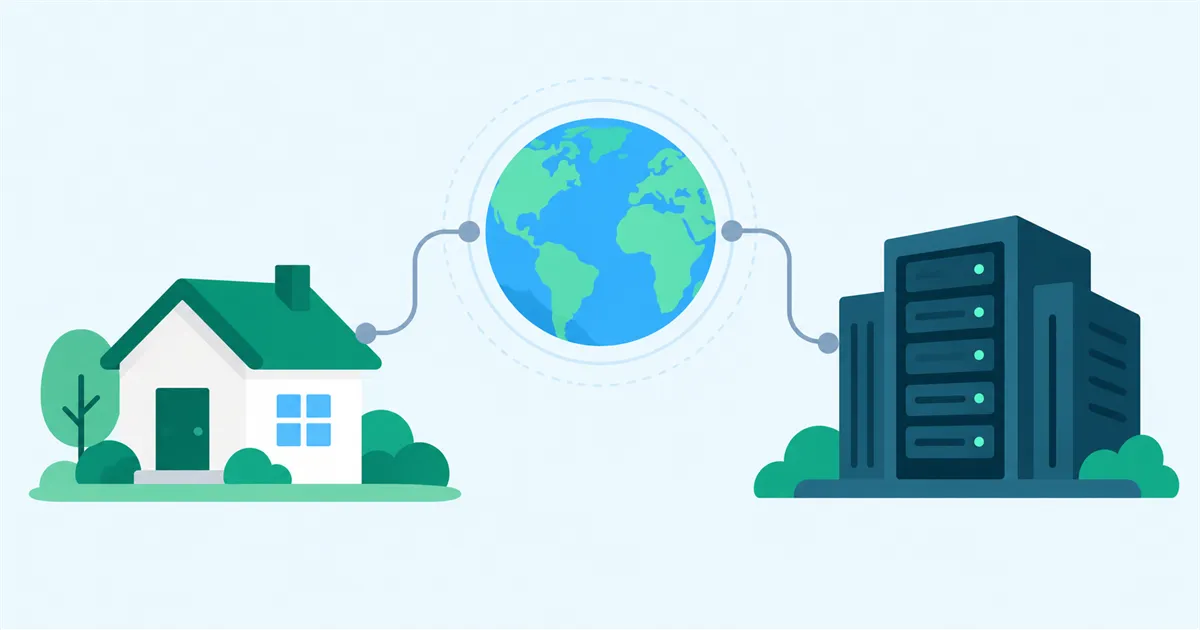
Two IP addresses in the same country can come from very different networks. Residential classification comes from information associated with an address, such as ASN data, network registration, hosting classifications, known VPN or proxy data, and access patterns.
Services interpret an IP address with associated information
IP addresses identify sources and destinations on the internet. Associated network information helps a service distinguish a home broadband line from a data center.
Services can use additional information associated with an IP address, including:
- Estimated country or region
- The network operator and ASN
- ISP, business, cloud, or hosting classifications
- Known VPN, proxy, or relay information
- Traffic volume and access patterns associated with the address
- Account, device, and cookie data beyond the IP address
Each service chooses its own data sources and decision process, so classifications can differ between services.
ASN identifies the network behind a route
An ASN, or Autonomous System Number, identifies a network that exchanges routing information on the internet. For an IP address, the ASN is associated with the ISP, cloud provider, or other network that announces the address range.
Two connections may both be located in the same country while using different kinds of networks. One may belong to a residential ISP, while the other belongs to a cloud or hosting provider. Country information therefore describes only one part of a connection’s origin.
Data center IPs belong to provider networks
Data center IP is a general term for an address used by cloud, VPS, hosting, VPN, and similar provider networks.
Data centers are designed to operate large numbers of servers with stable infrastructure, substantial capacity, and controlled network configurations. When a VPN or self-hosted VPN uses a VPS as its exit, internet services see the address used by that data center network.
Many users may share the same exit, and a service may observe a large number of connections from the surrounding address range. The destination service decides how it handles each connection.
Residential IPs belong to home ISP networks
Residential IP is a general term for an address used by an ISP network that provides internet access to homes. When traffic passes through a router or exit device at home, internet services see the address used by that residential ISP connection.
The traffic itself reaches the home location and leaves through its ISP connection.
A residential classification does not guarantee that a particular service will accept a connection. The service’s terms, regional restrictions, and VPN policies still apply.
Residential, dedicated, and static describe different things
Several separate properties are often mixed together when people discuss home IP addresses.
| Property | What it describes |
|---|---|
| Residential / Data Center | The type of network used to reach the internet |
| Dedicated / Shared | Whether one party uses the public address or it is shared |
| Static / Dynamic | Whether the address is expected to remain the same or may change |
On CGNAT connections, multiple subscribers can share a public IPv4 address. The address can still belong to a residential ISP network even though it is shared.
Static or dynamic and residential or data center are independent properties. Data center networks also commonly use static addresses.
Services can evaluate signals beyond the IP address
An internet service may combine IP-related information with account history, device data, cookies, access times, or location permissions. Device-side signals remain associated with the device when the exit network changes.
A VPN primarily changes the traffic path and the exit IP address visible to the destination.
HomeGrid VPN exits through the connection where the Grid is installed
HomeGrid VPN carries IPv4 traffic from a remote device through a Cloud Hub to a Grid, then sends it to the internet through the connection where that Grid is installed. The Cloud Hub relays the VPN path, while the connection where the Grid is installed is the Internet Exit. When the Grid is at your home or a family member’s home, that residential connection is the exit.
When using a connection contracted by someone else, obtain the subscriber’s permission and check the ISP’s terms. For the complete traffic path and Outbound Only design, read What Is HomeGrid VPN? Use Your Home Connection as a VPN Exit.